- Published on
How to Make Revisiting Locations Fun
- Authors

- Name
- Nassef Bouanane
- @NassefBouanane
The Art of Backtracking in Game Design: How to Make Revisiting Locations Fun
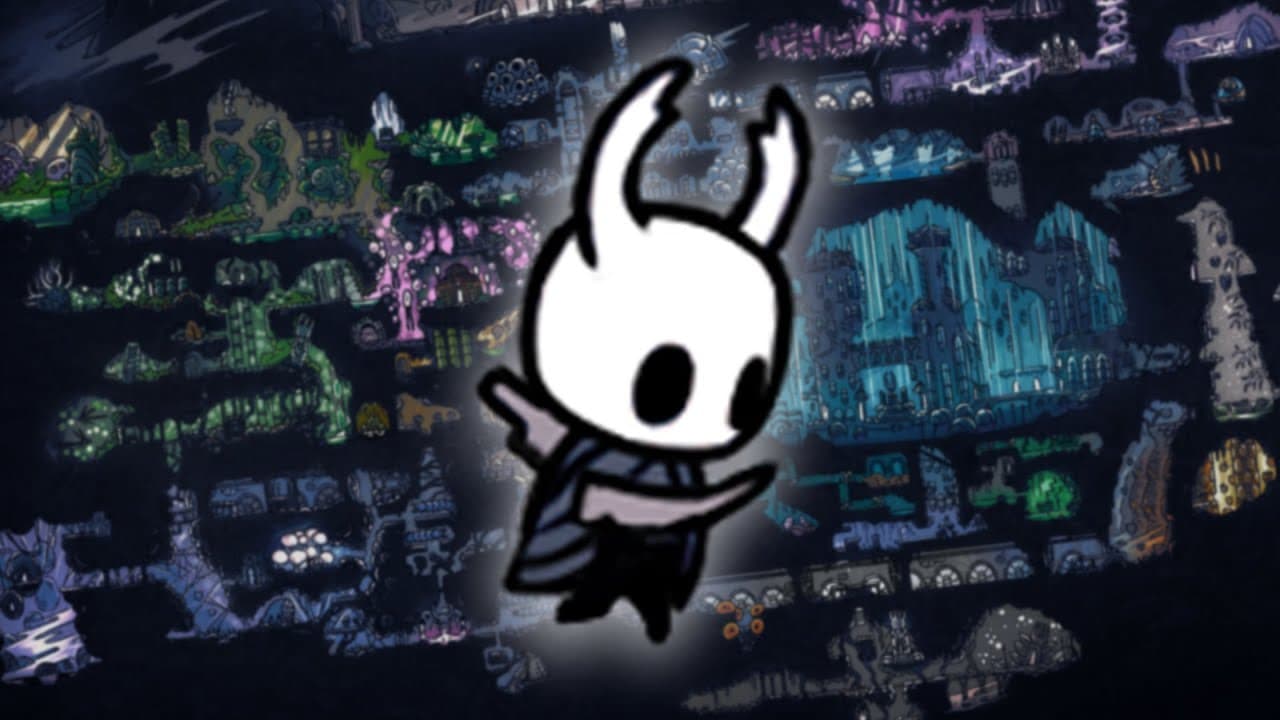
As a game designer, I’ve spent countless hours thinking about how to make games engaging, immersive, and fun. One of the most challenging aspects of game design is backtracking—the act of making players revisit locations they’ve already explored. When done poorly, backtracking can feel like a chore, padding out the game with unnecessary repetition. But when done well, it can deepen the player’s connection to the world, enhance storytelling, and even become a core gameplay mechanic. In this blog post, I’ll break down the pitfalls of backtracking, explore how to make it work, and share examples of games that have mastered the art.
The Problem with Backtracking
Backtracking has a bad reputation, and for good reason. At its worst, it feels like a lazy way to extend playtime. Players are forced to retrace their steps through familiar areas, often with little to no new content or challenges. This can lead to frustration, boredom, and even disengagement.
The core issue isn’t the act of revisiting locations itself—it’s how the game frames the experience. If the player feels like they’re being sent on a meaningless fetch quest or forced to slog through repetitive content, backtracking becomes a negative experience. For example, in Paper Mario: The Thousand-Year Door, players are often sent on long, tedious errands that involve running back and forth between locations with little variation. The infamous “General White” quest, which requires players to revisit nearly every major area in the game, is a prime example of how poor quest design can turn backtracking into a slog.
Why Backtracking Can Be Great
Despite its pitfalls, backtracking can be a powerful tool in a game designer’s arsenal. When done right, it can:
- Deepen World-Building: Revisiting locations allows players to see familiar areas in new contexts, revealing hidden layers of the world.
- Enhance Storytelling: Changes in a location over time can reflect the progression of the story or the impact of the player’s actions.
- Create a Sense of Mastery: Returning to earlier areas with new abilities or knowledge can make players feel powerful and clever.
- Encourage Exploration: Backtracking can highlight optional content or secrets that players may have missed on their first visit.
The key is to ensure that backtracking feels meaningful and rewarding. Let’s dive into some strategies for achieving that.
How to Make Backtracking Fun
1. Add New Layers to Familiar Locations
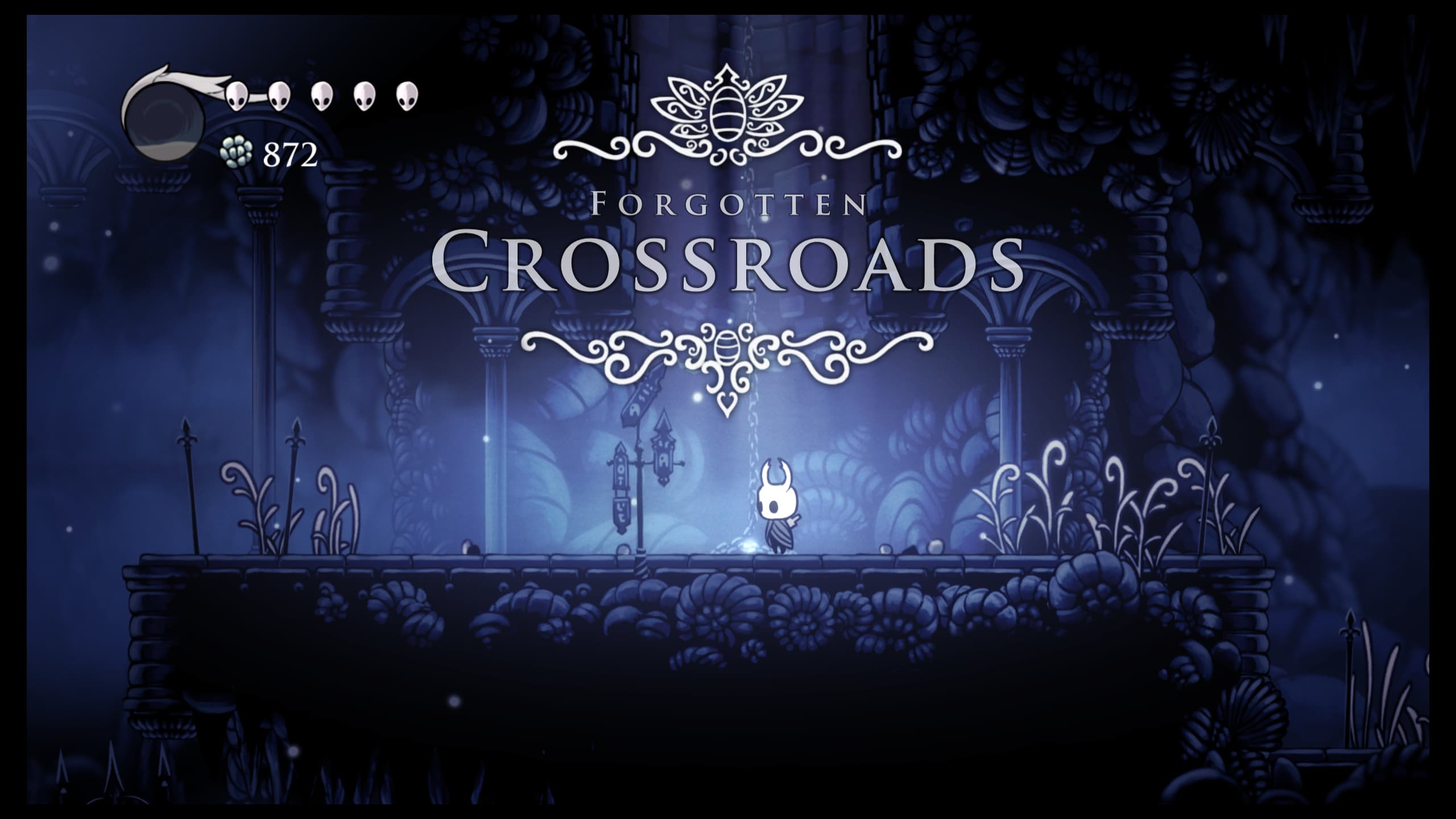 One of the most effective ways to make backtracking engaging is to change the environment or context of the location. For example, in Hollow Knight, the Forgotten Crossroads transforms into the Infected Crossroads as the story progresses. The once-familiar area becomes more dangerous and atmospheric, creating a sense of urgency and dread. This kind of environmental storytelling not only keeps the location fresh but also reinforces the game’s narrative themes.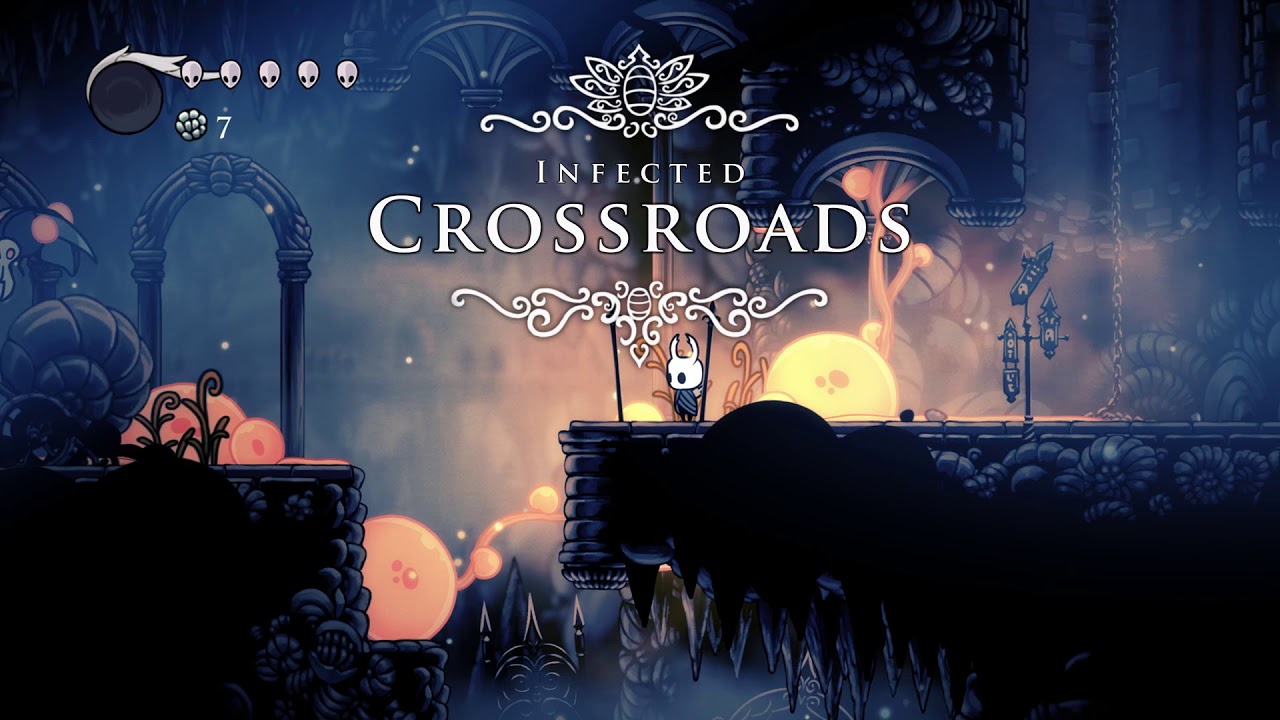
2. Introduce New Gameplay Mechanics
Revisiting a location is more exciting if the player has new abilities or tools that change how they interact with the environment. Metroidvanias like Metroid and Hollow Knight excel at this. Players unlock new powers that allow them to access previously inaccessible areas, turning backtracking into a puzzle-solving exercise. The sense of progression and discovery keeps players engaged.
3. Reward Exploration
Backtracking should feel rewarding, not punitive. Games like Bomb Rush Cyberfunk scatter optional content—such as collectibles, cosmetics, and side quests—throughout the world. When players revisit areas, they’re encouraged to explore off the beaten path and discover new rewards. This approach turns backtracking into an opportunity for exploration rather than a chore.
4. Use Time or Narrative to Change Context
Games like Radiant Historia and Outer Wilds use time and narrative to make backtracking feel fresh. In Radiant Historia, players jump between timelines, revisiting the same locations in different eras with unique challenges and storylines. In Outer Wilds, players gain new knowledge with each loop, allowing them to see familiar locations in a new light. These games show how contextual changes can make backtracking feel like a natural part of the gameplay loop.
5. Avoid Padding
One of the biggest mistakes designers make is using backtracking as a way to pad out the game’s length. This often results in repetitive fetch quests or unnecessary travel. Instead, every instance of backtracking should serve a purpose, whether it’s advancing the story, introducing new gameplay challenges, or rewarding the player with meaningful content.
Examples of Backtracking Done Right
1. Metroidvanias: Mastering the Art of Backtracking
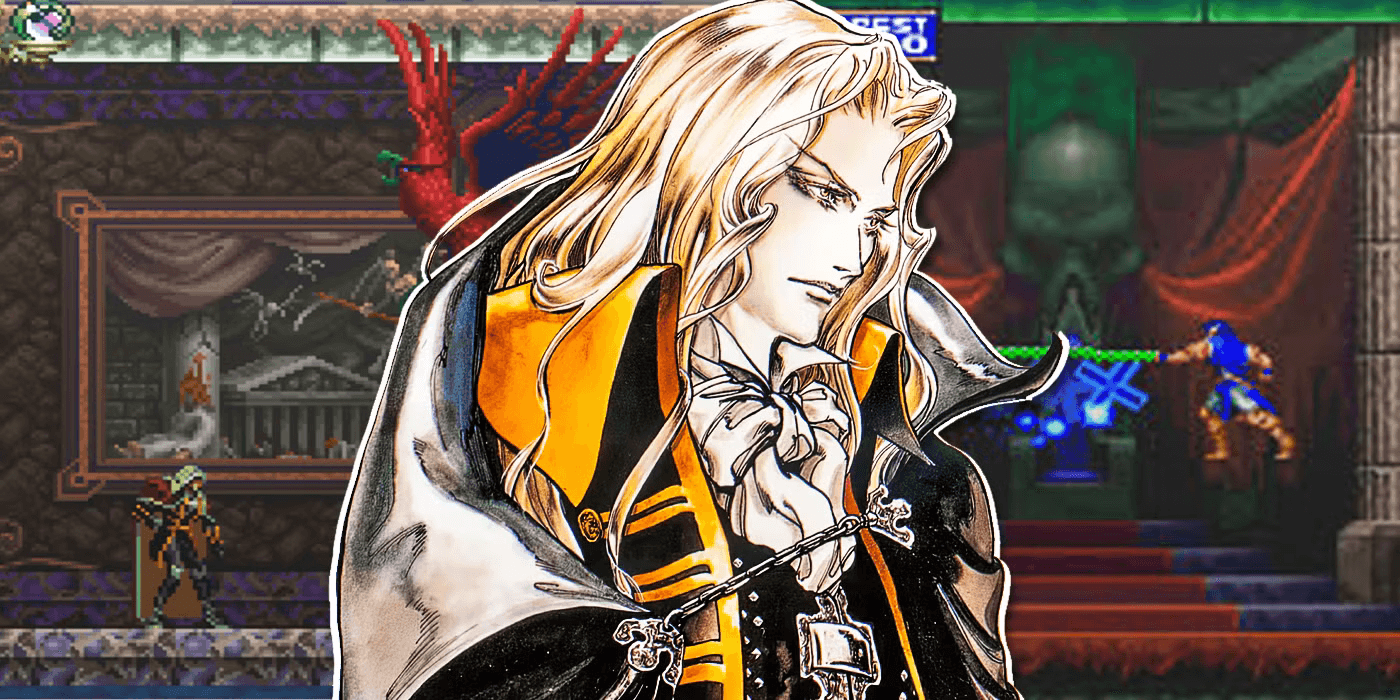 Metroidvanias are built around backtracking. Games like Metroid and Hollow Knight use a combination of new abilities, environmental changes, and hidden secrets to make revisiting locations feel rewarding. The world becomes a puzzle box that players unlock piece by piece, with each new ability opening up new paths and possibilities.
2. Radiant Historia: Time-Hopping as a Gameplay Mechanic
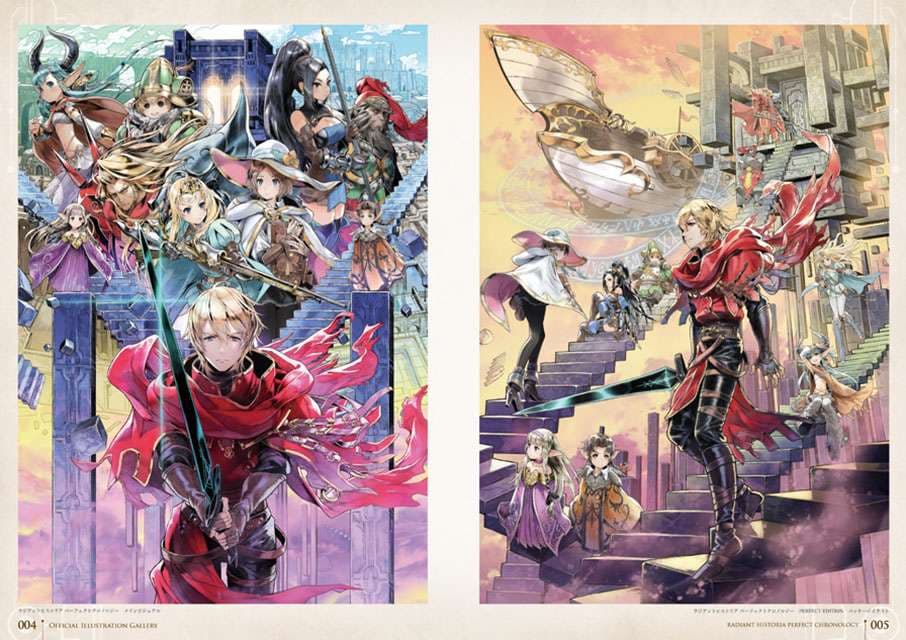 In Radiant Historia, backtracking is a core mechanic. Players jump between timelines to solve puzzles and progress the story. The same locations feel different depending on when you visit them, with unique NPCs, enemies, and challenges in each era. This approach keeps backtracking fresh and engaging.
3. Outer Wilds: Knowledge as a Key
Outer Wilds takes a unique approach to backtracking by tying progression to the player’s knowledge. As players uncover clues about the game’s mysteries, they gain new insights into familiar locations. The path forward was always there—they just needed to know how to see it. This creates a sense of discovery and intellectual satisfaction.
4. Bomb Rush Cyberfunk: Encouraging Exploration
In Bomb Rush Cyberfunk, backtracking is used to highlight optional content. Players are encouraged to revisit areas to find collectibles, cosmetics, and side quests. The game’s open-ended design makes backtracking feel like a natural part of the experience rather than a chore.
Lessons Learned
Backtracking is a double-edged sword. When done poorly, it can frustrate players and drag down the pacing of a game. But when done well, it can enhance world-building, storytelling, and gameplay. Here are some key takeaways:
- Change the Context: Use environmental changes, new abilities, or narrative shifts to make familiar locations feel fresh.

- Reward the Player: Ensure that backtracking leads to meaningful rewards, whether it’s new content, story revelations, or gameplay challenges.
- Avoid Padding: Every instance of backtracking should serve a purpose. Don’t use it as a way to artificially extend playtime.
- Leverage Player Knowledge: Games like Outer Wilds show how backtracking can be tied to the player’s growing understanding of the world.
Final Thoughts
Backtracking doesn’t have to be a dirty word in game design. With careful planning and creative execution, it can become one of the most engaging aspects of a game. The key is to think of backtracking not as a problem to solve but as an opportunity to deepen the player’s connection to the world and enhance their experience.
As designers, our goal is to create games that are memorable, immersive, and fun. By mastering the art of backtracking, we can turn what could be a tedious chore into a meaningful and rewarding part of the journey.
What are your thoughts on backtracking in games? Have you played any games that handled it particularly well—or poorly? Let’s discuss in the comments below! And if you’re interested in more game design insights, don’t forget to subscribe to our newsletter and check out our Patreon for behind-the-scenes content.
Happy designing! 🎮